

Sometimes it's the features nobody talks about that are the ones doing the heavy lifting. Media tagging in Reach is one of those.
Why tagging matters more than you might expect
When you create content, the image you pair with it shapes how people respond. A mismatched photo undermines your message. A relevant one amplifies it. The challenge is that most of us have hundreds of images sitting in our media libraries, and finding the right one takes time we don't have.
I wanted Reach to solve this problem without adding complexity. The goal was simple: help you build a library of images that Reach understands, so when you create a post, the system can suggest something appropriate. Or find nothing and tell you so, rather than forcing a poor match.
How the tagging process works
Reach does not automatically scan every image you upload. This was a deliberate choice. Automatic scanning would burn through tokens on images you might never use, and I didn't want to build a system that costs you money for no benefit.
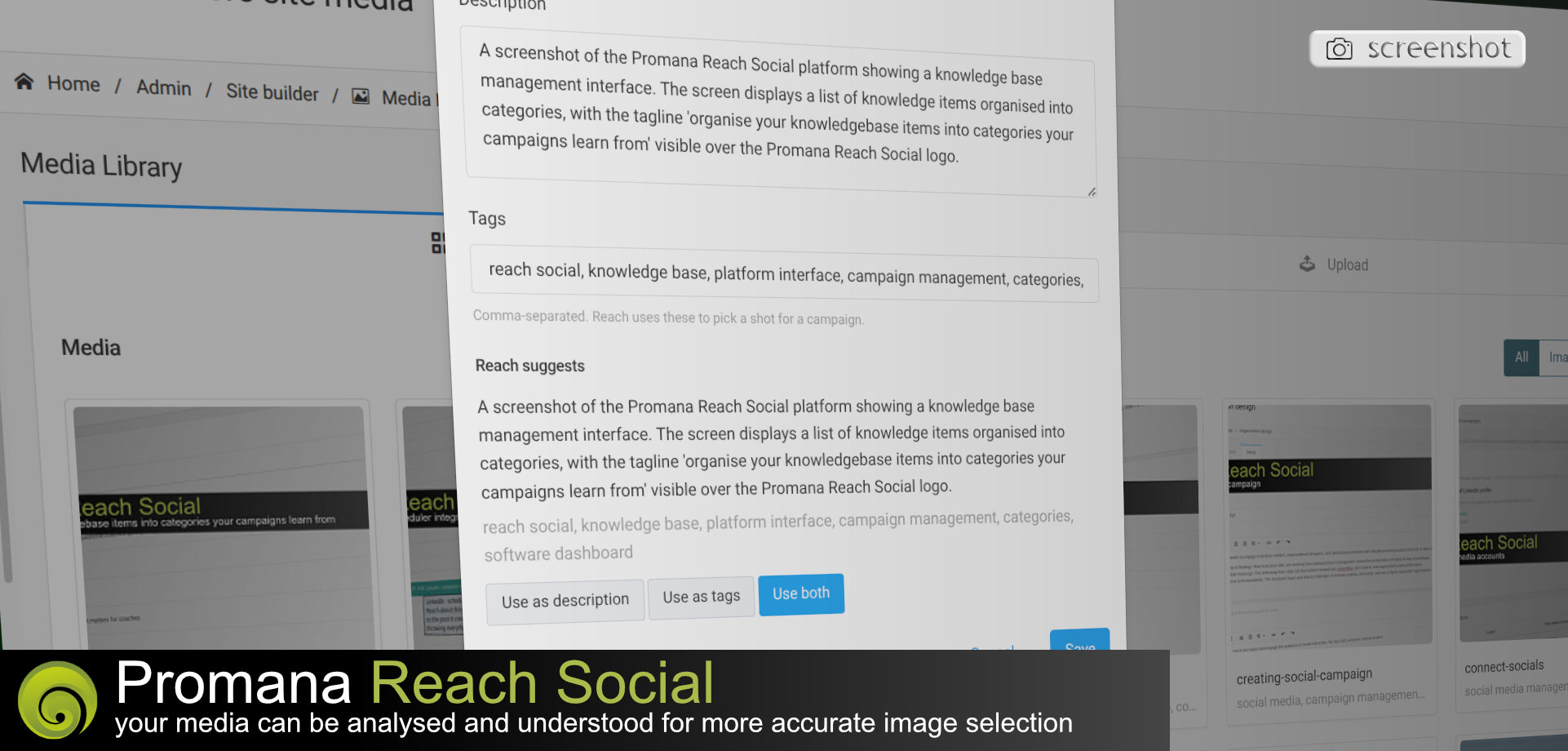
Instead, you choose which images to analyse. Open your media library, tap the pencil icon on any image, and you'll see an option to ask Reach to describe it. Reach examines the image and returns a short description along with five or six suggested tags. You can edit these, keep them as they are, or blend your own ideas with what Reach suggests. Save your choices, and that image becomes part of your tagged collection.
Building a library over time
You don't need to tag everything at once. I tag images as I go, usually when I'm uploading something new or when I have a few spare minutes. The library grows gradually, and so does its usefulness.
What happens when you create content
When you're ready to create a post, Reach asks you about media options. You have three choices. You can specify an exact image from your library. You can ask Reach to find a matching image, with instructions to skip the image entirely if nothing fits. Or you can ask Reach to create an image if it can't find a suitable one.
For the second and third options, Reach scans your tagged images. It compares the tags and descriptions against the content it has just created for you. It makes a judgement about which image fits best. Sometimes it picks something you wouldn't have chosen yourself, and you discover it works. Sometimes you disagree and swap in something else. The override is always available.
Using tags to narrow the search
Every tag from every tagged image appears in the seed interface when you're setting up a content run. If you want Reach to only consider images with specific tags, you can select those tags before you begin. This is useful when you have a large library and you want to keep certain content visually consistent. A campaign about a particular topic might always use images tagged with a specific theme, for example.
The thinking behind the design
I've seen too many tools that try to automate everything and end up automating the wrong things. Reach is built to assist your judgement, not replace it. The tagging system gives you control over what Reach knows about your images. The matching system uses that knowledge to save you time. But you remain in charge of the final decision.
This approach also means your media library becomes more valuable over time. Each tagged image is an asset that Reach can draw on. The more you tag, the better the suggestions become. 📷
Getting started
If you haven't explored media tagging yet, pick five images from your library and run them through the tagging process. See what Reach suggests. Edit the tags to match how you think about those images. Then create a piece of content and let Reach try to find a match.
You'll notice the difference quickly. The friction of hunting for the right image disappears. Your posts look more cohesive. And you spend your time on the words instead of the visuals. 🎯